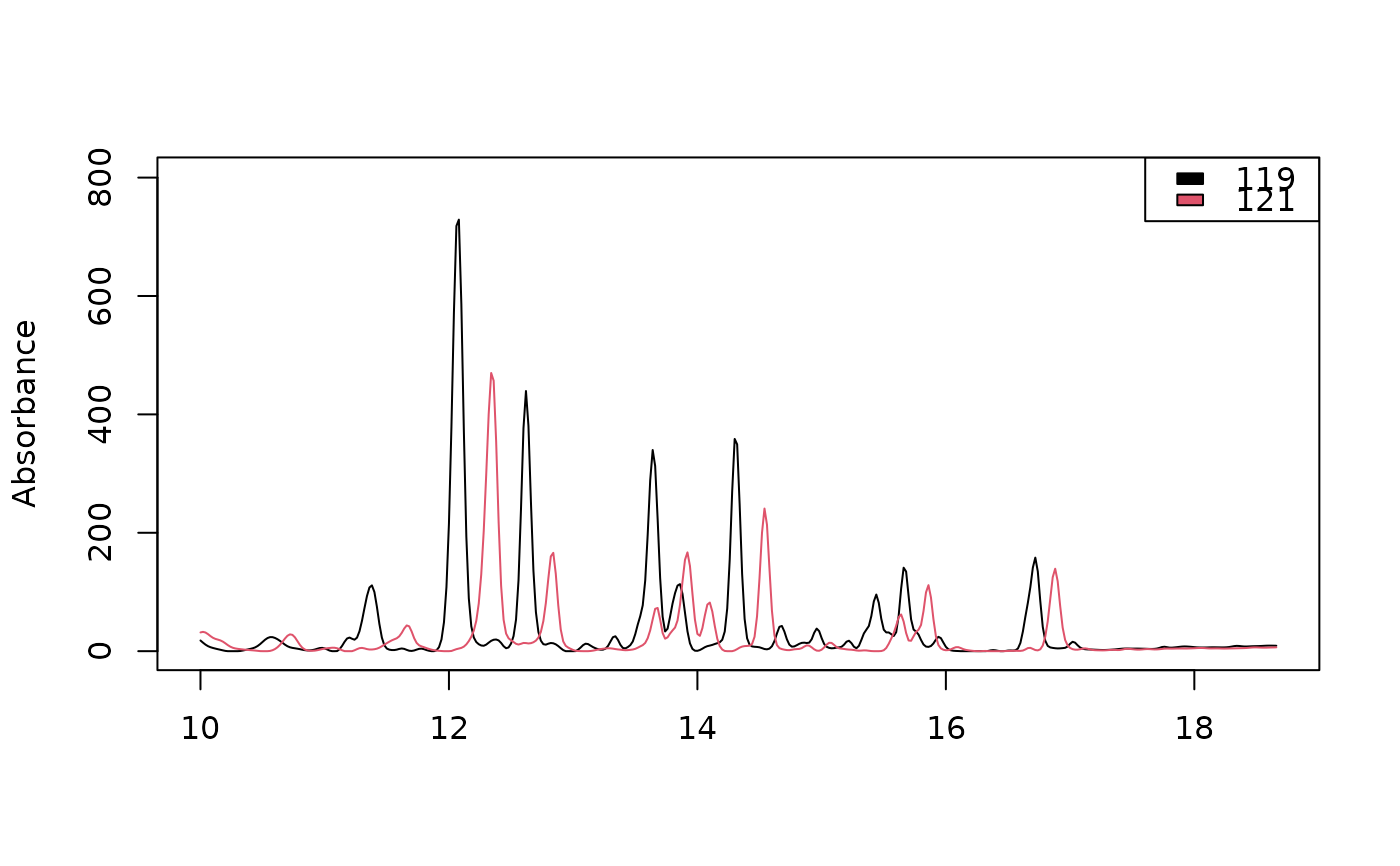
Visualizes absorbance traces from a list of one- or multi-wavelength
chromatograms using base R, ggplot2, or plotly graphics. For
multi-wavelength chromatograms, one or more wavelengths can be selected
using lambdas. Traces are thinned to time_resolution before plotting.
Each chromatogram specified by idx is plotted as a separate trace in its
own color.
Usage
plot_chroms(
  x,
  lambdas = NULL,
  idx,
  time_resolution = 0.01,
  time_unit = NULL,
  xlim = NULL,
  ylim = NULL,
  xlab = "",
  ylab = "Absorbance",
  engine = c("base", "ggplot", "plotly"),
  linewidth = 1,
  show_legend = FALSE,
  legend_position = "topright",
  title = "",
  what = NULL,
  ...
)
Arguments
- x
A list of chromatograms in matrix format (timepoints × wavelengths) or a
peak_tablecontaining a pointer to a list of chromatograms accessible in the current environment.- lambdas
A character or numeric vector specifying the wavelengths to plot. Required for multi-wavelength chromatograms and optional for one-dimensional ones, where a supplied wavelength must match the column name.
- idx
A vector representing the names or numerical indices of the chromatograms to plot. Defaults to all chromatograms.
- time_resolution
Desired temporal resolution for plotting (in minutes). Chromatograms are thinned to approximately this interval prior to plotting, which speeds up rendering of large datasets. Defaults to
0.01.- time_unit
Time units of the provided chromatograms: either
min,s, orms. If possible, units will be detected automatically from chromatogram metadata. Iftime_unitattribute is not present and no argument is provided, the time units will default to minutes.- xlim
Range of x axis values. Unless
ylimis given, the y axis is then fitted to the traces within this range.- ylim
Range of y axis values.
- xlab
X label.
- ylab
Y label. Defaults to
"Absorbance".- engine
Plotting backend to use. One of
"base","ggplot", or"plotly".- linewidth
Line width. Defaults to
1.- show_legend
Logical. Whether to display a legend. Defaults to
FALSE.- legend_position
Position of legend. Defaults to
"topright". Forengine = "base", a top or bottom keyword spreads the entries over columns and, unlessylimis given, widens the y-range so the legend clears the traces. Forengine = "ggplot", any value accepted by thelegend.positionargument ofggplot2::theme(); the default leaves ggplot2's own placement.- title
Title for plot.
- what
Which element to plot when each chromatogram in
xis itself a list, as returned bychromConverter::read_chroms()with severalwhatvalues. A single name (e.g."dad"), or a vector of names for a nested element (e.g.c("instrument", "PMP1, Pressure")). A nested element can also be written as one string split at the first colon, as in"instrument:PMP1, Pressure", unless that string is itself an element name. Defaults to"dad"for such lists; ignored whenxis a list of matrices.- ...
Additional arguments to
matplot(engine = "base"),ggplot2::geom_line()(engine = "ggplot"), or thelinelist ofplotly::plot_ly()(engine = "plotly").
Value
A plotly or ggplot object when engine = "plotly" or
engine = "ggplot", respectively. No value is returned when
engine = "base".
See also
Other visualization functions:
boxplot.peak_table(),
mirror_plot(),
plot.chrom_list(),
plot.matched_peak_list(),
plot.peak_list(),
plot.peak_table(),
plot_all_spectra(),
plot_chrom_contour(),
plot_chroms_heatmap(),
plot_spectrum(),
scan_chrom()
Examples
data(Sa_warp)
plot_chroms(Sa_warp, lambdas = 210)